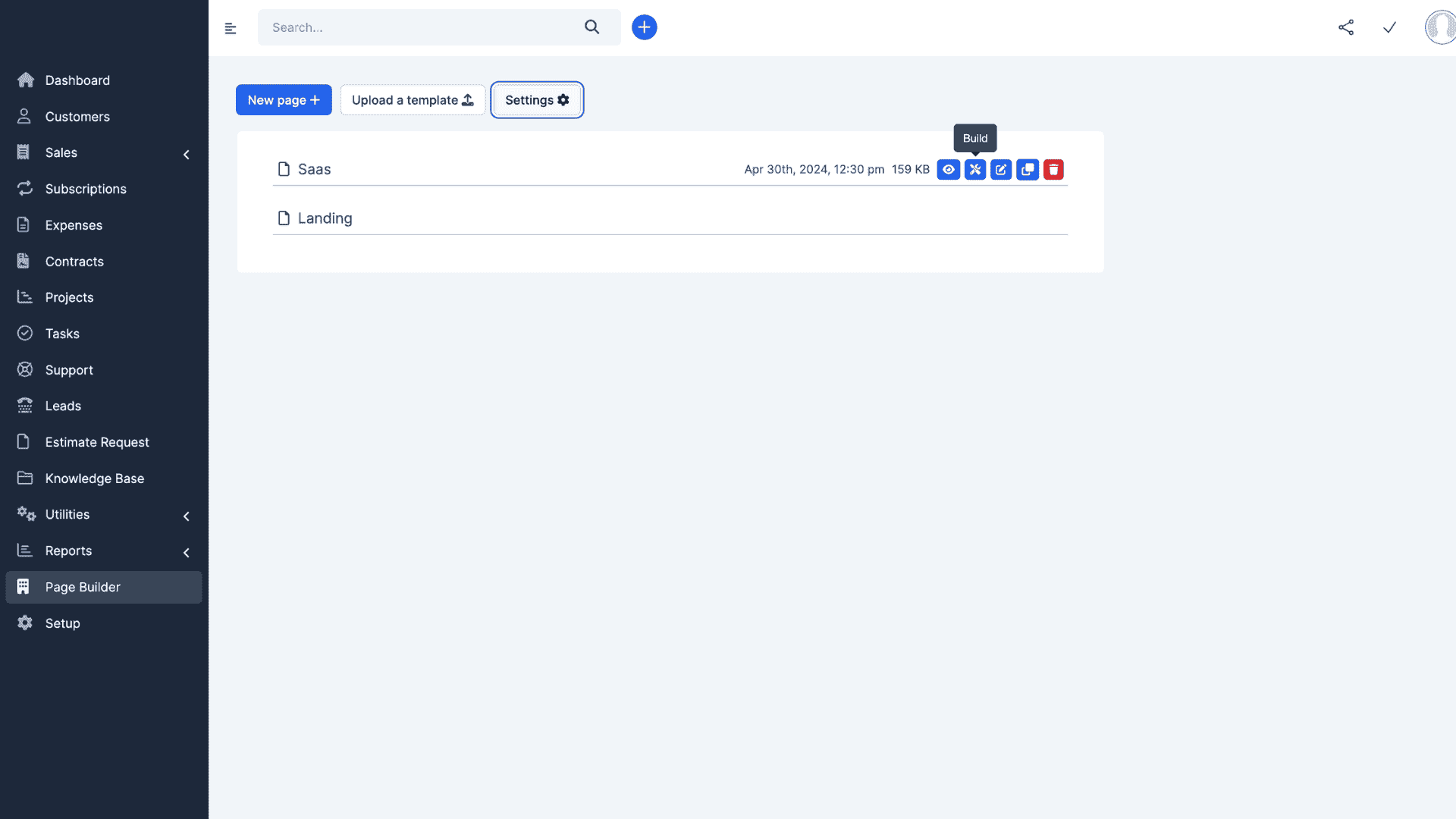
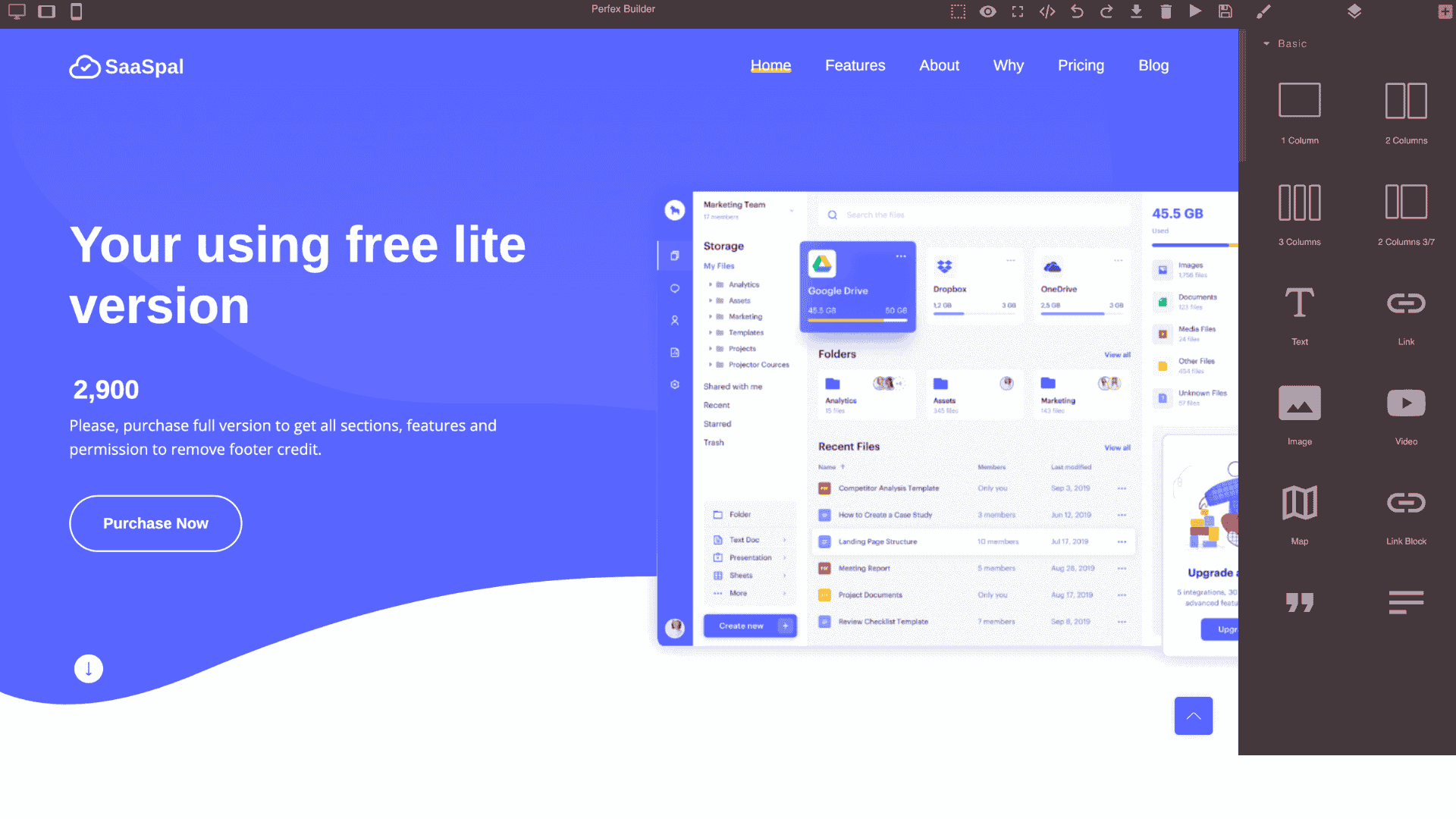
Landing Page builder for CRM

Landing — Landing Page Builder for CRM: Convert Traffic into Customers
A great landing page converts attention into action. For companies using a CRM, landing pages are not just marketing assets — they are the primary gateways that feed leads, segments, and revenue pipelines. A Landing Page Builder integrated with your CRM transforms static pages into dynamic, measurable conversion machines. It makes it simple for marketing teams to create, publish, and optimize pages while ensuring every visitor interaction flows straight into the CRM as a usable signal for sales, automation, and analytics.
Why a CRM-Native Landing Page Builder Matters
Many organizations build landing pages in separate tools and then export results into their CRM. This disconnect creates delay, attribution gaps, and missed opportunities for automation. A CRM-native Landing Page Builder eliminates those gaps. Pages created inside the CRM can prefill with contact data, attach UTM parameters automatically, trigger workflows on form submission, and immediately create contextual contact records with source attribution. That tight coupling reduces response time, improves personalization, and ensures marketing investment is directly traceable to pipeline outcomes.
Core Features of the Landing Page Builder
A powerful builder should combine ease-of-use with conversion best practices and deep CRM integration. Essential features include:
Drag-and-Drop Editor — Visual canvas with blocks (hero, features, forms, testimonials, CTAs) so non-technical users can build pages fast.
Responsive Layouts — Pages that automatically adapt to desktop, tablet and mobile views with live preview capabilities.
Pre-built Templates — Industry and use-case templates (lead gen, webinar signup, ebook download, product launch, event RSVP) to speed iteration.
Form Builder & Prefill — Custom form fields mapped to CRM properties with smart prefill for returning users and progressive profiling for conversion-friendly data capture.
UTM & Attribution Capture — Automatic capture of UTM parameters, referrer, campaign, and landing source to the CRM record.
A/B Testing & Multivariate — Built-in experiments to test headlines, CTAs, images, and form lengths with statistical confidence reporting.
Personalization Rules — Show/hide sections, swap CTA copy, or preselect offers based on visitor behavior, source, or CRM segment.
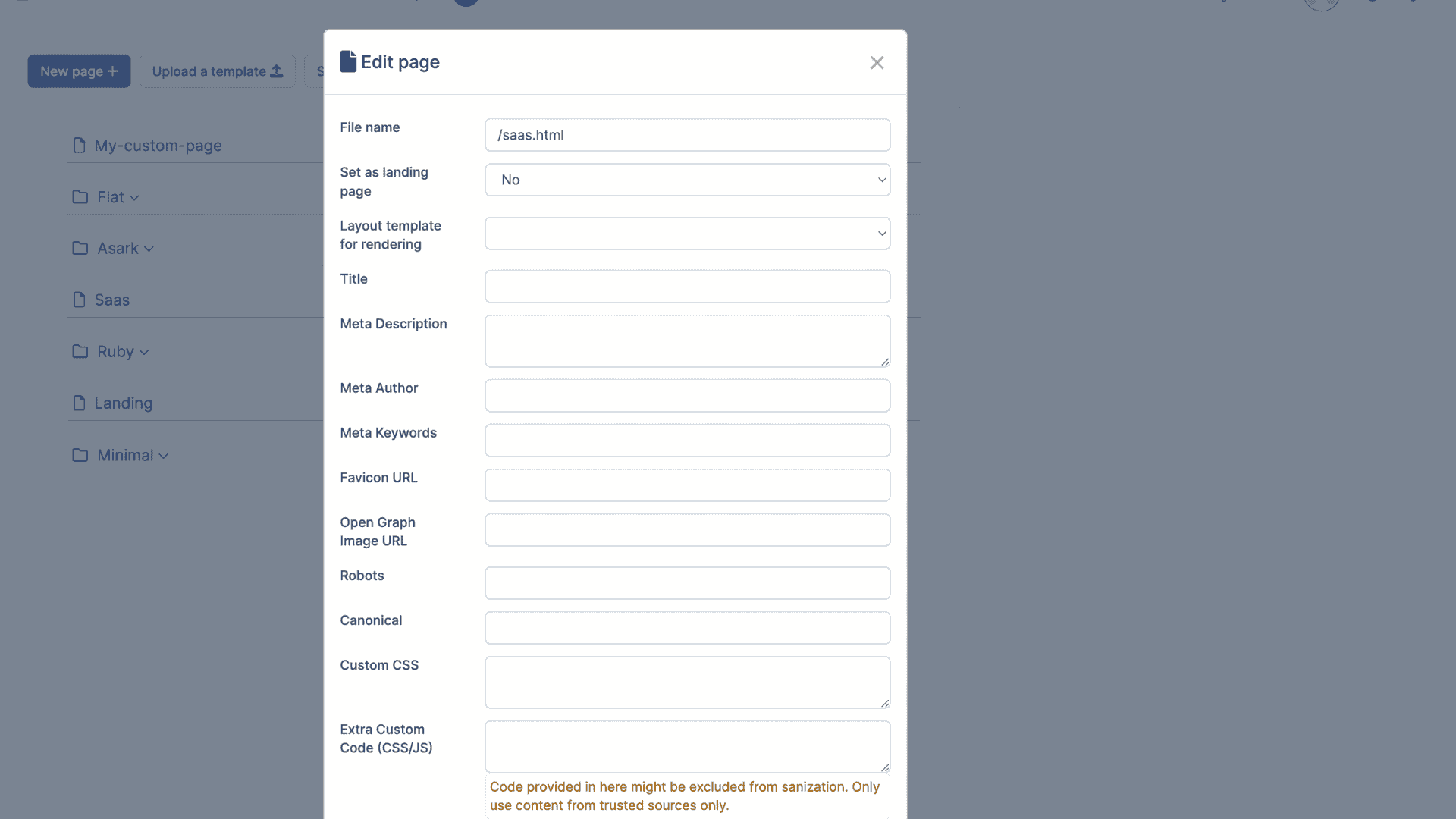
SEO Controls — Meta title, description, canonical tags, schema markup, and sitemap integration to boost organic discoverability.
Fast Hosting & CDN — High-performance hosting and CDN distribution to minimize load times and maximize conversion rates.
Analytics & Heatmaps — Built-in conversion funnels, scroll-depth, and optional heatmap overlays to understand visitor behavior.
Deep CRM Integration — What Sets It Apart
The primary value of a CRM Landing Page Builder is data synergy. Integration capabilities should include:
Real-Time Lead Push — Leads and form events are created in CRM instantly with tags for source, campaign, and page variant.
Automated Workflows — On-submit triggers that start nurturing sequences, assign owners, create follow-up tasks, or notify SDRs via email/Slack/SMS.
Contact Enrichment — Enrich incoming leads with company data, social profiles, or intent signals and store enrichment in CRM fields.
Progressive Profiling — Reduce friction by asking minimal fields initially and enriching contact records over successive interactions; store each answer in CRM history.
Two-Way Sync — Send CRM attributes back to page to personalize content for logged-in users or returning visitors (loyalty tier, last purchase, account rep name).
Revenue Attribution — Tie conversions to deals, opportunities, and revenue so marketing ROI is measured at the source-of-truth.
Templates and Use Cases
Templates accelerate creation while encoding conversion patterns. Typical templates include:
Lead Magnet/Ebook Download — Short form, instant download link, email capture and nurture sequence.
Webinar Registration — Event details, calendar add, confirmation emails and reminders via CRM automation.
Product Launch — Countdown timers, priority access lists, and tiered offers tied to CRM VIP lists.
Free Trial Sign-up — Signup form, instant account provisioning hooks, and onboarding workflows.
Contact Sales — Qualification form that creates a lead with priority scoring and immediate SDR alert.
Conversion Best Practices Built Into the Builder
A good builder nudges users toward higher conversions by incorporating best practices:
Clear Single CTA: Avoid multiple competing CTAs; make the desired action obvious.
Above-the-Fold Value: Communicate core value and include form or CTA without excessive scrolling.
Social Proof: Testimonials, customer logos, and case studies increase trust.
Minimal Friction Forms: Start with email/name; use progressive profiling for additional info.
Urgency & Scarcity: Timers and limited-availability messaging increase conversion velocity—use carefully to maintain trust.
Fast Load Times: Optimize images, lazy-load non-critical assets, and use an efficient DOM structure for mobile performance.
Accessibility: Ensure forms and CTAs are keyboard navigable, labeled, and screen-reader friendly.
A/B Testing and Optimization Workflow
Continuous improvement matters. The builder should let teams:
- Clone a page and test headline/visual/form length variations.
- Run experiments with automatic traffic split and learn which variant drives higher qualified leads.
- Automatically push statistical winners into production and annotate winning hypotheses in CRM for knowledge sharing.
SEO and Organic Growth
Landing pages are often the first discovery medium for organic visitors. The builder must provide SEO tooling:
- Meta tags and Open Graph controls to improve sharing.
- Structured data (schema.org) for event pages, offers, and FAQs to enhance SERP appearance.
- XML sitemap inclusion and canonical tags to avoid duplicate-content issues.
- Performance recommendations and mobile audits to help pages rank and convert.
Security, Compliance & Privacy
Because landing pages collect PII, the builder must include:
- GDPR/CCPA consent checkboxes and storage of timestamped consent in CRM.
- TLS by default, secure hosting, and WAF options for enterprise deployments.
- Field-level encryption for sensitive inputs and secure webhook signatures for server-side handling.
- Retention and purging controls to satisfy “right to be forgotten” requests.
Analytics, Attribution & Reporting
Measurement should be native: page views, form conversion rates, drop-off funnels, time-to-convert, and lead-to-deal conversion tracked and visualized inside CRM. Attribution models (first touch, last touch, linear, data-driven) should map back to campaigns and allow revenue-level reporting. Integrations with external analytics and ad platforms are useful, but the CRM must remain the single source of truth for lead-to-revenue mapping.
Integrations & Extensibility
A landing page builder should integrate with:
- Email providers and ESPs for confirmation and nurture sequences.
- SMS/WhatsApp plugins for multi-channel follow-ups.
- Payment gateways for checkout or paid registration flows.
- Analytics and ad platforms to import conversion events and optimize spend.
- CMS or blog for cross-linking content and maintaining brand consistency.
Governance & Collaboration
Marketing teams need collaboration features: role-based access, approval workflows for publishing, content versioning, and change logs. This prevents rogue pages and ensures legal/compliance review where required. Team annotations and saved component libraries speed up brand-consistent page creation.
Implementation Roadmap
To adopt a CRM-native Landing Page Builder effectively:
1. Define Goals: Lead quality vs volume, MQL definition, and SLA for SDR follow-up.
2. Template Library: Create 4–6 high-impact templates for your most common campaigns.
3. Map Fields: Align form fields to CRM properties and decide on progressive profiling strategy.
4. Automations: Build workflows to assign leads, send acknowledgements, and start nurture sequences.
5. Experimentation: Run A/B tests on critical elements and set up holdouts if measuring true lift.
6. Scale: Roll out templates to campaign teams with training and guardrails.
Common Pitfalls & How to Avoid Them
- Overly Complex Forms: Ask only what you need; use progressive profiling to collect more later.
- Poor Attribution: Ensure UTM capture and server-side storage so data persists across redirects.
- Slow Pages: Optimize images, avoid unneeded scripts, and use CDN hosting.
- Lack of Governance: Use approval flows and template locking to avoid inconsistent messaging.
Real-World Example
A SaaS company used a CRM-native Landing Page Builder to launch a webinar campaign. By using a template with progressive profiling, prefilled forms for returning visitors, and immediate lead assignment to SDRs, they reduced lead response time from 9 hours to under 30 minutes. Conversion rate improved by 22% due to faster follow-ups and more personalized landing page messaging based on prior behavior stored in CRM.
Conclusion
A Landing Page Builder embedded in CRM changes the game: pages stop being isolated marketing artifacts and become an integral part of the customer acquisition and revenue engine. When pages are built with conversion best practices, instrumented for attribution, and tightly integrated with CRM workflows, teams convert more visitors into qualified leads, respond faster, and measure ROI with confidence. For organizations that rely on data-driven growth, a CRM-native Landing Page Builder is not just useful — it’s essential.
Build a Clear Roadmap to Online Growth
.png)
Build a Clear Roadmap