Popups builder for CRM

Popups Builder for CRM: Capture, Convert & Contextualize
Popups are a high-impact, low-friction way to capture attention and convert visitors into usable leads — when done well. A Popups Builder integrated directly with your CRM turns ephemeral website interactions into permanent customer signals: contact records, consent flags, campaign attribution and automated journeys. This guide explains why a CRM-native Popups Builder matters, what features it should include, design and targeting best practices, A/B testing and measurement, compliance considerations, and a practical implementation roadmap so teams can deploy popups that convert without annoying customers.
Why a CRM-Native Popups Builder?
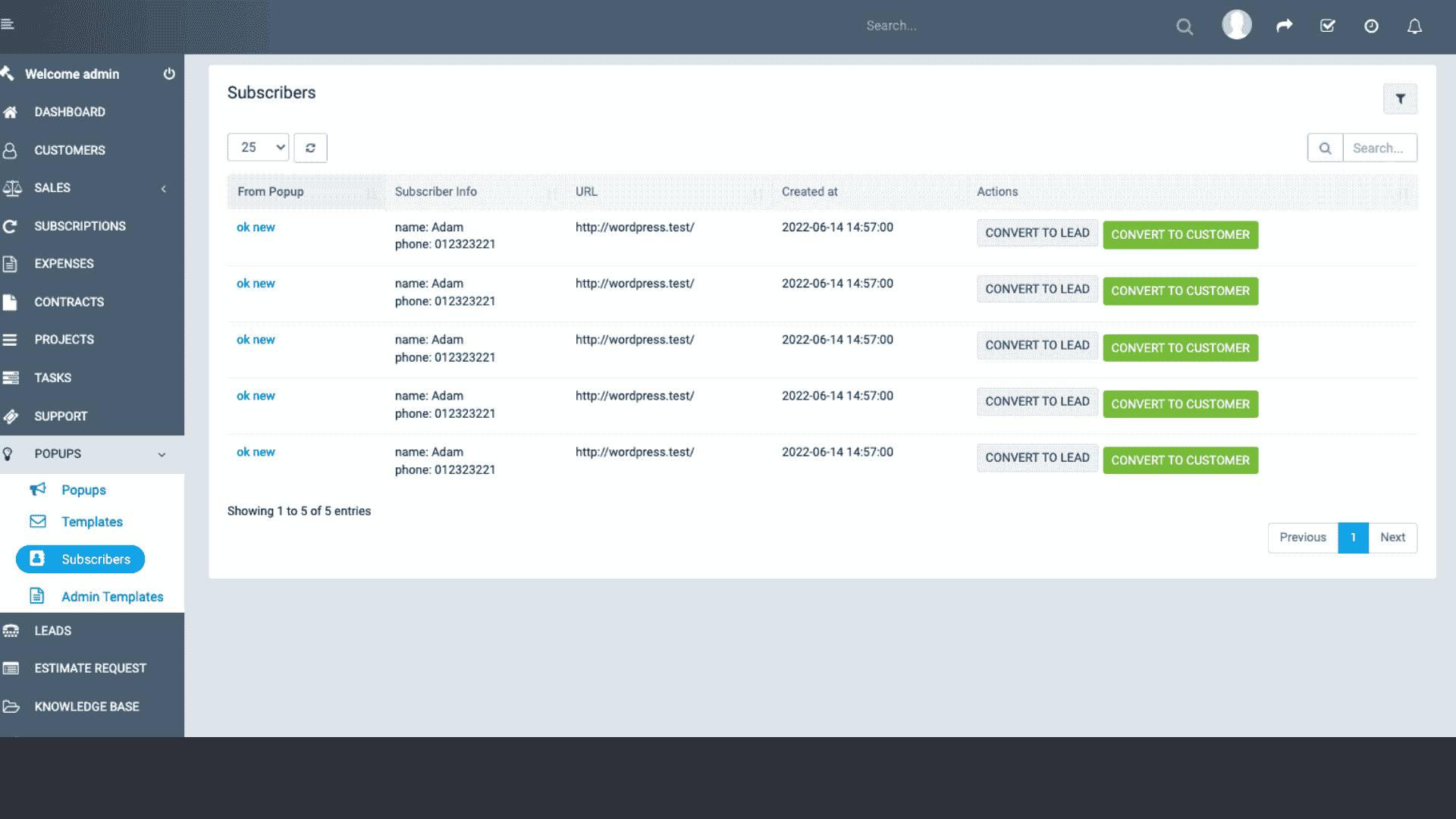
Many marketers use third-party popup tools that sit outside the CRM. That creates data silos: form submissions land in a different database, UTM tracking can be lost, and manual exports or fragile integrations become the norm. A CRM-native Popups Builder eliminates these problems by pushing leads, events, and consent directly into the CRM in real time. This tight coupling enables:
- instant follow-up workflows (email, SMS, task assignment);
- accurate campaign attribution (landing page, UTM);
- personalized experiences (prefill and progressive profiling);
- unified reporting (popup performance tied to pipeline & revenue).
Core Features to Look For
A useful Popups Builder should be simple for marketers while powerful enough for growth teams. Key features include:
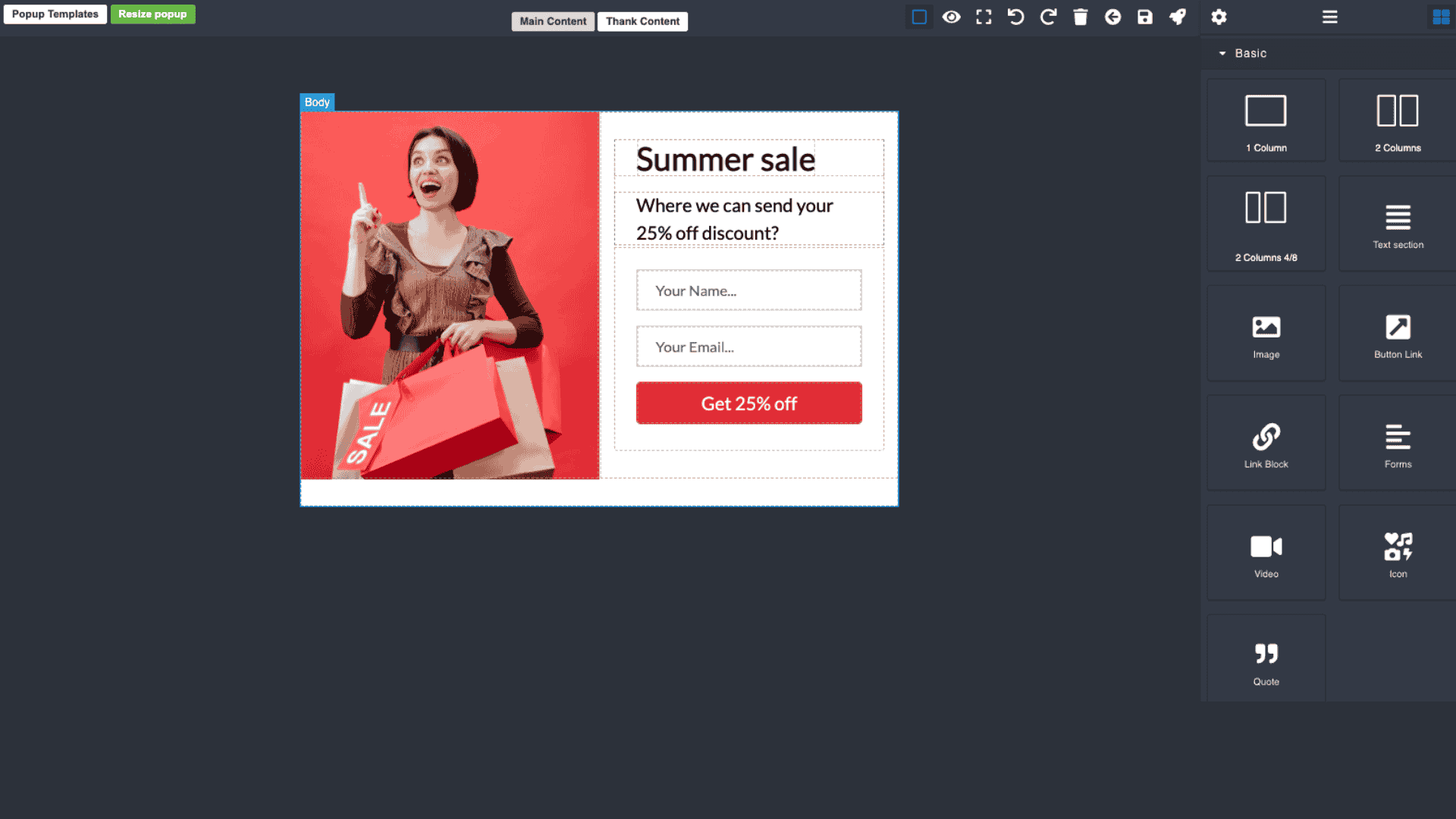
Drag-and-Drop Visual Editor
Build popups with a visual canvas: headings, images, form fields, countdown timers, CTAs, checkboxes, and close controls. No code should be required for standard use cases; developers can extend via HTML/CSS slots when needed.
Multiple Popup Types
Support common formats: modal popups, slide-ins, banners, exit-intent overlays, fullscreen interstitials, and floating sticky bars. Each format serves a different purpose — choose the right one for the user intent and conversion goal.
Targeting & Triggering Rules
Targeting is the heart of relevance. Allow rules based on:
- page URL or URL pattern;
- referrer & UTM parameters;
- device type and screen size;
- new vs. returning visitor;
- time on page or scroll depth;
- exit intent or inactivity;
- CRM segment membership or cookie-stored contact attributes.
Advanced Personalization
Personalize copy and CTAs using CRM data: first name, company, last product viewed, loyalty tier. Pre-fill forms for known users and use progressive profiling to request additional information over subsequent visits.
Forms & Progressive Profiling
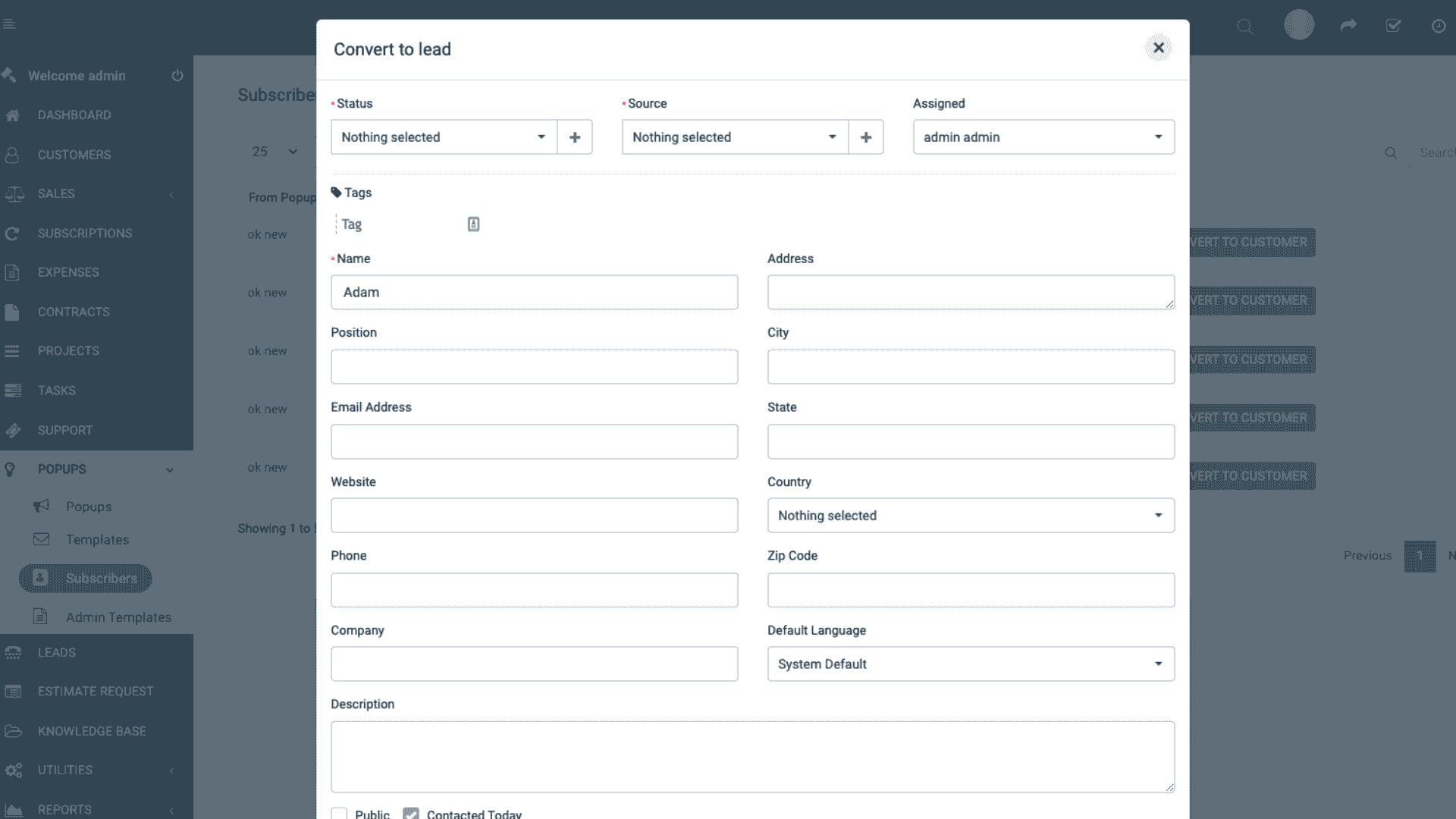
Allow multi-step forms and progressive profiling so initial friction is low (email only) and further details are requested later (phone, company, interest). All fields should map directly to CRM properties with configurable dedupe and merge rules.
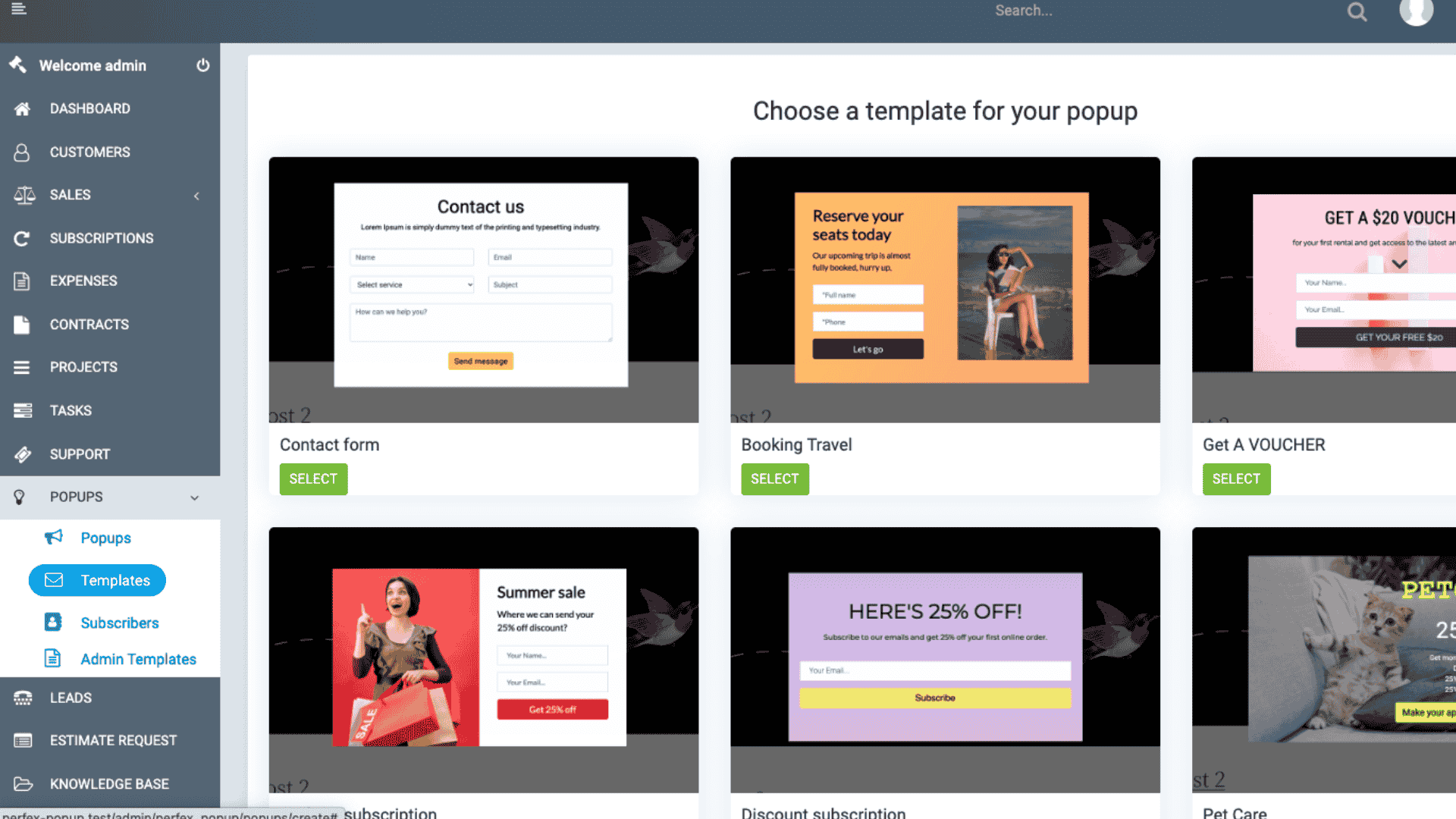
Templates & Component Library
Provide conversion-optimized templates for common use cases: lead magnets, newsletter signup, demo requests, cart recovery, webinar registration, and discount codes. A component library of badges, testimonials, and trust logos speeds iteration.
A/B & Multivariate Testing
Built-in experimentation is essential. Test headlines, imagery, form length, colors, and triggers and route winners to production automatically while writing results back to CRM for cross-channel analysis.
Analytics & Attribution
Capture views, impressions, conversion rate, submission timestamp, UTM/campaign, and eventual lifecycle outcomes (MQL, opportunity, revenue). Push all metrics into CRM dashboards so marketing ROI ties to revenue.
Consent & Compliance Tools
Include GDPR/CCPA consent checkboxes (with source & timestamp), granular opt-in toggles (email vs. SMS), and automatic suppression for DNC lists. Store consent events on the contact timeline in CRM.
Integration & Developer Extensibility
Expose webhook hooks and client/server APIs for custom behavior, support server-side rendering for SEO pages, and provide JS API for programmatic control (open popup, pass variables, confirm submission). Ensure secure authentication for API calls.
Design & UX Best Practices
Popups can delight—or annoy. Follow user-centric principles:
- Keep the value proposition clear and concise; headline first, benefits second.
- Limit initial form fields: email + one qualifying question is a common sweet spot.
- Use mobile-first design: small screens need lightweight experiences (slide-ins over full modals).
- Respect frequency: throttle showing the same popup to users repeatedly (use cookie or CRM attribute).
- Provide easy close and escape options — forcing users damages brand trust.
- Use respectful timing; exit-intent and mid-scroll triggers often outperform immediate popups.
- Use microcopy to set expectations: “We’ll only send weekly updates — unsubscribe anytime.”
Common Use Cases & Playbooks
Popups are flexible—here are high-impact playbooks:
Lead Magnet & Content Download
Offer an ebook or checklist in exchange for email. Use UTM to attribute the source and immediately push a nurture sequence from CRM.
Demo Request & Sales Capture
For product pages, show a short form for demo requests. Route submissions to SDR queue with priority tags and include page context in the lead record.
Cart Recovery / Abandonment
On ecommerce product or cart pages, use exit-intent or low-scroll triggers offering a limited discount. Capture phone/email for SMS or email recovery flows.
Webinar & Event Registration
For event pages, use a fullscreen or centered modal for registration with calendar add links and CRM-based ticketing or attendee management.
Surveys & Feedback
Use short NPS or micro-surveys after a product page visit to collect sentiment and route negative responses to support workflows.
Measurement: What to Track
Track both immediate popup metrics and downstream outcomes:
- Impressions & view rate (views per page load).
- Click-through rate on CTA.
- Form conversion rate (submissions / impressions).
- Lead quality: % MQL, % SQL, average lead score.
- Time-to-first-response (sales SLA adherence).
- Downstream conversion: deals created, revenue influenced, LTV of popup-acquired cohort.
- Unsubscribe / complaint rate post-submission (measure annoyance/irrelevance).
A/B Testing & Experimentation
Implement systematic experimentation:
- Run controlled A/B tests with sufficient traffic: variants for different headlines, CTAs, timing and offers.
- Track primary metric (submission rate) and secondary metrics (lead quality, downstream revenue).
- Use holdouts for revenue-impact experiments—exclude a sample from popup exposure to measure true incremental lift.
- Automate winner promotion and annotate results in CRM for organizational learning.
Consent, Privacy & Legal Considerations
Respect privacy by design:
- Always include explicit opt-in checkboxes where required (marketing emails, SMS). Store consent with timestamp and source.
- Provide easy unsubscribe paths and honor Do Not Disturb / suppression lists.
- Avoid pre-checked boxes for marketing consent in jurisdictions where that’s not allowed.
- For sensitive categories (health, finance), limit data capture and surface clear legal disclaimers.
- Store consent & submission audit trails in CRM for compliance and data subject requests.
Implementation Roadmap
A practical roll-out plan:
1. Discovery: Identify top 3 conversion goals and pages with highest traffic and drop-off.
2. Design: Create templates & messaging aligned to user intent and high-value offers.
3. Integrate: Connect builder to CRM with field mapping, dedupe rules, and consent capture.
4. Pilot: Run on a single page or campaign; measure submission rate and lead quality for 2–4 weeks.
5. Experiment: A/B test variants and choose winners based on lift and downstream metrics.
6. Scale: Roll winners to more pages, create templates and guardrails (frequency caps, suppression lists).
7. Govern: Maintain a library, approval workflow for new popups, and monthly performance reviews.
Common Pitfalls & How to Avoid Them
- Overexposure: Showing popups too often reduces trust—use frequency caps and CRM attributes to suppress repeats.
- Poor Targeting: Generic popups convert poorly; use contextual triggers and audiences.
- Mobile Intrusion: Full-screen popups on mobile can be disruptive. Prefer non-blocking banners or slide-ins for small screens.
- Weak Value Propositions: Popups must provide clear value—discounts, exclusive content, or rapid help.
- No Follow-up: Capture without follow-up wastes leads—automate immediate workflows and sales notifications.
Security & Performance Considerations
- Load popup assets asynchronously to avoid slowing page rendering.
- Use CDN-hosted assets for global scale and caching.
- Sanitize and validate all form inputs server-side to prevent injection attacks.
- Respect CSP and use secure tokens for any programmatic API interactions.
Example: High-Converting Demo Popup Flow
1. User visits pricing page. After 30s or on scroll depth 60%, show a modal: “Want a live demo? Quick 30-second form.”
2. Form asks for name + work email (prefill if known). Include a consent checkbox.
3. Submission immediately creates a lead in CRM with page context, UTM, and popup variant ID.
4. CRM automation assigns lead to SDR, sends confirmation email, and schedules follow-up task within 15 minutes.
5. If lead opens the confirmation email, increase lead score; trigger an SMS reminder for scheduled demo if provided.
Wrapping Up
A Popups Builder for CRM is more than a conversion tool — it’s a bridge between fleeting web interactions and ongoing customer relationships. When thoughtfully designed, respectful of user experience and privacy, and tightly integrated with CRM workflows, popups become a reliable channel for lead capture, qualification, and revenue influence. Use the principles above to build popups that convert without annoying, measure lift with holdouts, and keep your CRM as the single source of truth for all captured leads.
Build a Clear Roadmap to Online Growth

Build a Clear Roadmap